Design System

ResVR

Two systems: Marketing (from Figma) · Product (from Magic Patterns)

Color Palette

Brand — Teal

Brand 1000
#062b2c
Brand 900
#083a3c
Brand 800
#0a4c4d
Brand 700
#0d6163
Brand 600
#117a7c
Brand 500
#16c9cc
Primary
Brand 400
#4ddadd
Brand 300
#8ee8ea
Brand 200
#c2f3f4
Brand 100
#e6fafa
Brand 50
#f2fdfc

Neutral — Warm Gray

Neutral 1000
#1f1d1a
Primary text
Neutral 900
#2f2c28
Neutral 800
#5f5b55
Neutral 700
#5f5b55
Neutral 600
#7d7871
Neutral 500
#9f9a94
Neutral 400
#bab6b1
Neutral 300
#d2cfcb
Neutral 200
#e4e2de
Neutral 100
#f6f5f3
Neutral 50
#faf9f7
Neutral 0
#ffffff

Typography

Display: Neue Haas Grotesk Display Pro  ·  Text: Neue Haas Grotesk Text Pro

TokenSize / LH / LSWeightSample
H168 / 76 / -1px500Heading One
H256 / 64 / -1px500Heading Two
H348 / 56 / -0.5px500Heading Three
H432 / 40 / 0500Heading Four
H524 / 32 / 0500Heading Five
H620 / 28 / 0500Heading Six
Body XL20 / 32 / 0400The quick brown fox jumps over the lazy dog.
Body L18 / 28 / 0400The quick brown fox jumps over the lazy dog.
Body M16 / 26 / 0450The quick brown fox jumps over the lazy dog.
Body S14 / 22 / 0400The quick brown fox jumps over the lazy dog.
Body XS12 / 20 / 0400The quick brown fox jumps over the lazy dog.
TokenSize / LH / LSWeightSample
H144 / 52 / -1px500Heading One
H236 / 44 / -1px500Heading Two
H332 / 40 / -0.5px500Heading Three
H428 / 32 / 0500Heading Four
H520 / 28 / 0500Heading Five
H616 / 26 / 0500Heading Six
Body XL16 / 28 / 0400The quick brown fox jumps over the lazy dog.
Body L14 / 26 / 0400The quick brown fox jumps over the lazy dog.
Body M14 / 22 / 0450The quick brown fox jumps over the lazy dog.
Body S12 / 20 / 0400The quick brown fox jumps over the lazy dog.
Body XS10 / 18 / 0400The quick brown fox jumps over the lazy dog.

Mobile type scale is identical to Tablet.

TokenSize / LH / LSWeightSample
H144 / 52 / -1px500Heading One
H236 / 44 / -1px500Heading Two

Components

Button — Light Background

Large
Medium
Small

Button — Dark Background

Large

Link

Input Field

This field is required.

Checkbox Field

Checked
Unchecked
Indeterminate

Quote

"ResVR lets buyers fall in love with a home before it's built."
— Sample attribution, Title

Token Reference

Raw files: tokens.css · tokens.json

--color-brand-1000#062b2c
--color-brand-900#083a3c
--color-brand-800#0a4c4d
--color-brand-700#0d6163
--color-brand-600#117a7c
--color-brand-500#16c9cc
--color-brand-400#4ddadd
--color-brand-300#8ee8ea
--color-brand-200#c2f3f4
--color-neutral-1000#1f1d1a
--color-neutral-800#5f5b55
--color-neutral-600#7d7871
--color-neutral-500#9f9a94
--color-neutral-400#bab6b1
--color-neutral-300#d2cfcb
--color-neutral-200#e4e2de
--color-neutral-100#f6f5f3
--color-neutral-0#ffffff
🪄
Source of truth: ResVR Interior UI — This system governs the 3D visualizer, interior customizer, and any product-side UI. Do not apply these tokens to the marketing site.

Color Palette

Brand Accent — Dark Mode

cyan-400
#22d3ee
Primary
cyan-500
#06b6d4
cyan-500/20
accent bg
slate-900
#0f172a
Base BG
slate-800
#1e293b
slate-700
#334155
white/10
border
white/7
subtle

Brand Accent — Light Mode

teal-600
#0d9488
Primary
teal-500
#14b8a6
teal-500/10
accent bg
white/70
surface

Semantic

Standard — Included Level 1 — Up to $1.5k Level 2 — Up to $3k Level 3 — Up to $5k Level 4 — $5k+
✓ Complete Exit / Danger

Typography

Font: Inter · Weights: 300 / 400 / 500 / 600 / 700 / 800 · Via Google Fonts

RoleSizeWeightNotesSample
section-header 18px300 + 700 light + bold cyan pop Customize Interior
body 14px500 menu items, labels Countertop Selection
label-sm 12px500–600 secondary labels Kitchen · 3/5 complete
micro 10–11px700 uppercase, tracking-wider Guided Tour
nano 9px700 badges, option names Standard

Glass Morphism System

The defining visual pattern of all product UI. Every surface uses backdrop-blur-xl with semi-transparent slate backgrounds.

Floating / 70%
bg-slate-900/70
Nav rail, sidebar, bottom bar
Panel / 90%
bg-slate-900/90
Options gallery, overlays
Modal / 95%
bg-slate-900/95
Popovers, confirm dialogs
Light Mode / 70%
bg-white/70
All panels, light theme

Border: border border-white/10 (dark) · border border-white/40 (light) · Shadow: shadow-2xl

Components

Floating Toolbar

Top-right vertical pill · z-50
Default: slate-400 icon
Hover: white + bg-white/10
Active: bg-cyan-500/20 · text-cyan-400
Rounded-2xl · p-2 · backdrop-blur-xl

Bottom Status Bar

Full-width · h-50px · absolute bottom-0
Logo
The Cascade
62% Customized

Left Mode Rail

Fixed left · 100px wide · z-50
Exterior
Interior
AI
Walk
Tour
Step-by-step
Theme
Active: left-edge 3px bar (cyan-500) + icon bg-cyan-500/20
Label: 9px bold uppercase tracking-wider
Animated active indicator via Framer Motion layoutId

Options Gallery

Bottom-floating panel · above status bar · max-w-5xl

Buttons

Panels & Overlays

Settings & Controls Panel

w-80 · rounded-2xl · backdrop-blur-xl · fixed top-6 right-24 · z-40
Time of Day
Display
Show Furniture
Show Doors
Show Compass
Show Labels
Graphics Quality 100%
Theme
Dark Mode
Camera
Height 170cm
Zoom 100°
Movement
Move Speed 50%
Look Speed 50%
Options
Invert Vertical Axis
Teleport to Option
How to Navigate

How to Navigate — Keyboard Guide

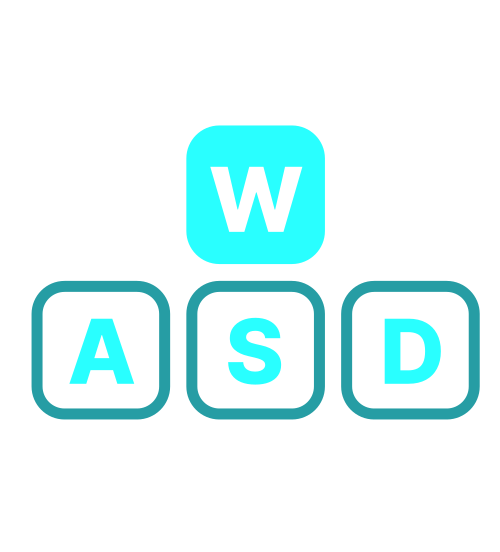
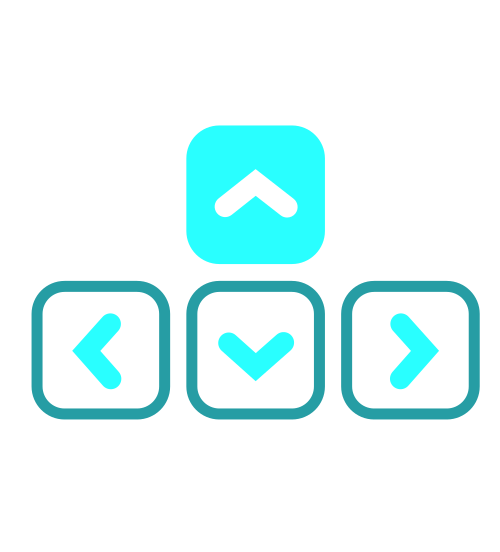
Collapsible section inside the Controls panel. All diagrams are custom SVGs with dark/light color variants (cyan-400 dark / teal-600 light). MOVE card cycles WASD ↔ arrow keys every 2.5s.

5 cards · 2-col grid + 1 full-width row · rounded-xl · bg-white/5 dark
Look /
Rotate
Mouse
Move WASD ← ↑ → ↓
W A S D
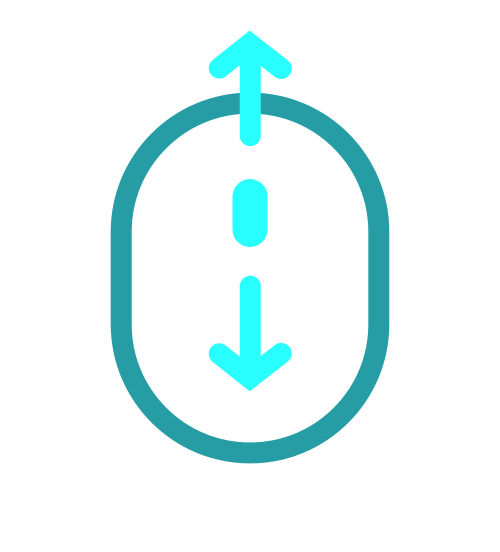
Zoom
In / Out
Scroll
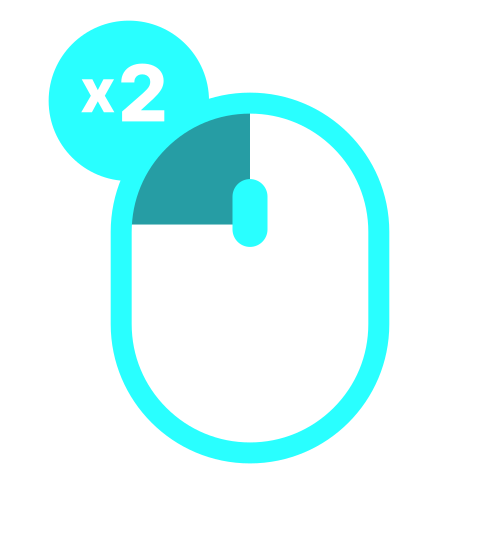
Move
to Point
Click
Right Click Collapse menus / Free navigation

Rooms / Teleport Panel

Triggered from the ROOMS button in the bottom bar. Lists rooms with contextual Lucide icons, cyan accent color on text.

rounded-2xl · backdrop-blur-xl · scrollable room list
Teleport
Kitchen
Basement
Primary Bedroom
Ensuite
Laundry
Bedroom 2
Bedroom 3
Room icons used: chef-hat arrow-down-to-line bed-double bath shirt bed

Navigation Minimap

Triggered from NAVIGATION button in the bottom bar. Shows a floor plan with a position dot (cyan-400) and view cone (teal). Rounded-2xl glass panel.

Floor plan image
rendered here
N
Position dot: bg-cyan-400 · w-3 h-3 · rounded-full
View cone: teal cone SVG · rotates with camera direction
N compass: top-right corner
Container: rounded-2xl backdrop-blur-xl

Color Selection Widget — ColorSwatchPopover

Floating pill that appears above the OptionsGallery when the selected option has color variants. Two modes: Bar (horizontal pill, default) and Radial (arc of swatches). Source: components/Interior/ColorSwatchPopover.tsx

rounded-full · backdrop-blur-xl · bg-slate-800/90 · border-white/10 · mb-3 (above gallery)
Bar Mode (default)
French Door 36" Color
Stainless
Radial Mode (switch via ✦ icon)
Stainless

States

StateVisualClasses / Styles
Unselected swatchNormal size, no ringw-8 h-8 rounded-full
Selected swatchScale 1.1, cyan ring, check iconscale-110 · -inset-[3px] border-2 border-cyan-400
Light color borderThin border so white/cream swatches are visibleborder border-white/20 (dark)
HoverScale 1.1 on hoverhover:scale-110 transition-all duration-200
Bar → Radial switchSparkles icon → Link2 icon; AnimatePresence mode="wait"sparkles (bar) / link-2 (radial)
Color name labelShows hovered name, falls back to selected nameAnimatePresence mode="wait" · opacity fade

Options Gallery

Horizontal scrollable strip anchored at the bottom of the 3D viewport (above the bottom bar). Shows upgrade options as thumbnail cards with tier badges, tier filter dropdown, search, and expand-to-grid mode. Source: components/Interior/OptionsGallery.tsx

max-w-5xl · rounded-2xl · backdrop-blur-xl · bg-slate-900/95 · border-white/10 · bottom-[60px] above bar
Range Oven
Search...
6 of 6
IMG
Standard
Included
IMG
SS Gas
+$1,500
IMG
Pro Dual
+$2,500
IMG
Chef 6-Brnr
+$3,500
IMG
Commercial
+$4,500
Standard Level 1 Level 2 Level 3 Level 4

States

StateVisualClasses / Styles
Default / Single RowHorizontal scroll, maxHeight 190px, no wrapflex-nowrap overflow-hidden maxH-[190px]
Expanded GridWraps to multi-row, maxHeight 460px, scrolls verticallyflex-wrap overflow-y-auto maxH-[460px]
Card SelectedCyan border, glow, cyan overlay + checkborder-cyan-500 shadow-[0_0_15px_rgba(6,182,212,0.4)]
Card HoverBorder brightens, image scales 110%group-hover:border-white/30 group-hover:scale-110
Info TooltipInfo button (i) top-left, tooltip above, arrow pointeropacity-0 group-hover:opacity-100 → absolute tooltip
Minimized TabChevron-up tab at bottom edge, click to restorerounded-t-xl border-b-0 animate on isMinimized

Selections Cart Widget

Floating badge in the bottom-right corner. Expands into a full selections panel. Handles the full checkout flow: review → processing → submitted. Source: components/Interior/SelectionsWidget.tsx

fixed bottom-[80px] right-6 z-[90] · rounded-2xl · backdrop-blur-xl
Collapsed Badge
2
Your Selections $3,000
Toast (3s after adding)
Added to selections Range Oven – Level 1 Gas
+$1,500

Selections Panel — Review State

fixed top-8 bottom-8 right-6 w-full max-w-md z-[100] · rounded-2xl · backdrop-blur-xl · flex flex-col

Your Selections

2 upgrades selected

IMG

Main Options

Range Oven

Level 1 Stainless Gas

$1,500
IMG

Main Options

Countertop

Quartz – Level 2

$1,500

Total Upgrade Value

$3,000

Selections Panel — Processing & Submitted States

Same panel shell · finalizeStep: 'processing' | 'success' · transitions via state machine
Processing (~2.5s)

Processing Your Selections

Generating selection summary...
Sending to Landmark Homes...
Preparing email confirmation...
Submitted (success)

Selections Submitted!

Your selections have been sent to Landmark Homes

Total Upgrades 2 items
Total Value $3,000
Confirmation sent to demo@example.com

What happens next?

  • A design consultant will review your selections
  • Receive a detailed quote within 24–48 hours
  • Schedule a call to finalize your dream home

States

StateVisualClasses / Styles
Empty (hidden)Widget hidden if 0 items and no toastreturns null
Collapsed badgeCyan icon bg + count dot + price + chevron-upborder-cyan-500/30 hover:border-cyan-500/50
Gallery open offsetBadge lifts above gallery stripisGalleryOpen ? bottom-[360px] : bottom-[80px]
Panel openBackdrop + slide-in panel from rightscale 0.95→1 spring · bg-black/40 backdrop
ProcessingSpinning border ring + 3 step items fade inborder-4 border-t-transparent border-cyan-500 animate-spin
SuccessSpring-in check circle + summary card + what's nextbg-emerald-500/20 · check-circle-2 · text-emerald-400
Selection swaparrow-left-right icon, closes panel, reopens gallerytext-white/40 hover:text-cyan-400

Interior Sidebar — Tree Menu

Left-side navigation panel (260px wide) with collapsible category headers, subcategories, and leaf items. Tracks completion state per item. Search with alias support. Source: components/Interior/InteriorSidebar.tsx

w-[260px] · absolute top-0 left-[100px] bottom-0 z-40 · backdrop-blur-xl · bg-slate-900/70 border-r border-white/10

Customize Interior

Customize finishes & fixtures

Search options...
Category Header
Letter badge (first char) · category name · (completed/total) · chevron
Completed: bg-cyan-500/20 border-cyan-500/35 text-cyan-400
Default: bg-white/5 border-white/10 text-white/40
Leaf Item
Bullet dot → cyan when active, white/30 default
Completed: bg-emerald-500/20 check icon text-emerald-400
Selected: bg-cyan-500/15 text-white font-medium
AI-enhanced: sparkles icon text-white/20 (DEMO_ITEMS set)
Collapse Toggle
Pill tab on right edge of sidebar: chevron-left (open) / chevron-right + "MENU" (closed)
animates with sidebar: left: isCollapsed ? 100 : 360

Step-by-Step Mode Panel

Anchored to the bottom of the InteriorSidebar when isStepByStep=true. Shows progress indicator, step navigation, and a camera views carousel. Source: InteriorSidebar.tsx → AnimatePresence bottom panel.

flex-shrink-0 · flex flex-col · p-5 · border-t · backdrop-blur-xl · bg-slate-900/95 · z-10 · anchored bottom of sidebar
Step 7 of 39 18%
Main Options
Range Oven
Cameras
2
3
4
Camera thumbnail
Active
Kitchen Overview
Props
stepIndex / totalSteps → progress %
currentStepItem.name → center label
currentStepCategory → uppercase muted label
cameraViews[] → thumbnail carousel
cameraViewCount 2|3|4 → tab toggle
Camera Tab States
Default: text-white/40
Active: bg-cyan-500 text-black
Camera Thumbnail
Active view: border-cyan-500 + "ACTIVE" badge + cyan dot
Inactive: border-white/10 opacity-60
No cameras: fallback to "Switch View" button w/ RefreshCw

States

StateVisualClasses / Styles
Progress barAnimates width to (stepIndex+1)/totalSteps × 100%h-1.5 bg-cyan-500 motion animate width
Prev arrow (first step)Hidden (empty spacer div renders)w-[44px] invisible placeholder
Arrow hoverBorder brightens, bg tinthover:bg-white/5 border-white/10
Camera thumb: selected carousel posWhite-tinted border (even if not active stream)border-white/50 opacity-100
Camera thumb: active streamCyan border glow + cyan dot top-rightborder-cyan-400 shadow-[0_0_8px_rgba(6,182,212,0.25)]
Intro animationSlides up from bottom on isStepByStep=trueinitial y:100 → animate y:0 via AnimatePresence

Tour Mode — Guided Tour Bottom Bar

Replaces the standard bottom bar when isGuidedTourActive=true. Taller (60px vs 50px), cyan progress bar along top edge, live-dot indicator, room navigation. A separate "MENU" pill button appears top-left when sidebar is collapsed. Source: components/Interior/InteriorBottomBar.tsx

absolute bottom-0 right-0 left-[100px] z-20 · h-[60px] · backdrop-blur-xl · bg-slate-900/90 border-t border-cyan-500/20
Menu Pill (sidebar collapsed in tour)
Guided Tour
Bellevue
Kitchen 5 of 8
Border color: border-cyan-500/20 vs standard border-white/10
Height: h-[60px] vs h-[50px]
Progress bar: h-[3px] bg-gradient-to-r from-cyan-500 to-cyan-400 shadow-[0_0_12px_rgba(6,182,212,0.6)] vs standard h-[2px] bg-cyan-500
Live dot: relative flex span animate-ping + inner solid dot — Tailwind ping animation

States

StateVisualClasses / Styles
PlayingLive dot pulsing, progress bar advances per roomanimate-ping · progress width updates via tourProgress %
First roomPrev (skip-back) button dimmed/disableddisabled opacity-30 cursor-not-allowed
Last roomNext (skip-forward) dimmed, End Tour more prominentdisabled opacity-30 cursor-not-allowed
Prev/Next hoverbg-white/10 tint on hoverhover:bg-white/10 text-white
End Tour hoverbg-white/10 tint, text goes full whitehover:bg-white/10 hover:text-white border-white/15
MENU button hoverbg-white/10, text fully whitehover:bg-white/10 hover:text-white

AI Mode — Assistant Overlay

Full-screen pointer-events overlay that activates when AI mode is selected. Contains: avatar type selector pill (top-left), avatar card + mic controls (bottom-right), and transcript bubble (bottom-center). Three avatar variants: Human (photo), Orb (radial bar visualizer), Orb Alt (layered SVG soundwave). Source: components/Interior/AssistantOverlay.tsx

fixed inset-0 z-[55] pointer-events-none · children use pointer-events-auto
Avatar Type Selector (top-left, absolute top-20 left-28)
Human Avatar (speaking state — cyan glow)
Human photo
RESVR Assistant

Orb Avatar

56 radial SVG bars around a cyan gradient circle with ResVR logo. Bar heights randomise at 100ms (speaking) / 150ms (listening) / 400ms (idle).

Orb Alt Avatar

3-layer SVG soundwave SVGs (black/dark-teal/light-teal) composited over a white→cyan gradient circle + ResVR logo. Each layer rotates/scales at different speeds per voice state.

Transcript Bubble (bottom-center, absolute)
Speaking state (AI responding)
RESVR AI

Welcome! You're currently in the kitchen. I can see you have the standard countertop selected. Would you like me to show you the premium quartz options?

Listening state (user speaking)
You

Listening...

Idle state (waiting for input)
RESVR AI

Say something to get started...

Mode Rail: AI Active State

Icon bg: bg-cyan-500/20 rounded-lg + sparkles icon cyan
Label: text-cyan-400
Live indicator: small green dot above icon — w-1.5 h-1.5 bg-emerald-400 absolute top-0.5 right-0.5 animate-pulse

States

StateVisualClasses / Styles
IdleMic button muted slate bg, transcript shows "Say something..."bg-slate-700 text-slate-400 (isMuted or voiceState idle)
ListeningMic button cyan glow, pulse ring, transcript shows "You" + pulsing dotbg-cyan-500 shadow-[0_0_15px_rgba(34,211,238,0.5)] · ping scale animation
Speaking (AI)Audio bars animate in transcript header, typewriter text reveal, cursor blinkbars: h animate [3,10,3] stagger 0.1s · cursor opacity [1,0,1]
MutedMic icon switches to mic-off, button turns slateisMuted → bg-slate-700 text-slate-400 · mic-off icon
Avatar: Human (speaking)Cyan gradient glow halo + border-cyan-400/60-inset-1.5 rounded-2xl bg-gradient-to-br from-cyan-400/40 blur-sm
Avatar: Orb (speaking)Bars update at 100ms, center circle scale [1, 1.03, 1]setInterval 100ms · scale motion animate
Avatar: Orb Alt (speaking)All 3 SVG layers rotate/scale fast ([0,6,-5,3,0]), duration 1.2srotate [0,6,-5,3,0] scale [1,1.06,0.95,1.04,1] repeat Infinity
Avatar type switchAnimatePresence mode="wait", scale 0.8→1, y 30→0initial scale:0.8 y:30 → animate scale:1 y:0 duration 0.4s spring
End button hoverbg-white/10, text goes whitehover:bg-white/10 hover:text-white border-white/15

Tooltip

Context-sensitive label used on toolbar buttons, icon-only controls, and option cards. 300ms show delay, 150ms Framer motion easeOut fade + scale. Four directional positions. Dark glass pill — consistent across both themes (always dark).

bg-slate-800 · text-xs font-medium · rounded · px-2.5 py-1.5 · border-white/10 · shadow-xl · scale 0.95→1 easeOut 150ms
Settings
top
Screenshot
bottom
AI Mode
right
Reset View
left
Container: bg-slate-800 border border-white/10 rounded px-2.5 py-1.5 shadow-xl
Text: text-xs font-medium text-white
Animation: initial scale:0.95 opacity:0 → animate scale:1 opacity:1 · duration:0.15s easeOut · delay:300ms
Arrow: CSS border trick (transparent left+right, solid top/bottom in #1e293b to match bg)

States

StateVisualClasses / Styles
HiddenInvisible, no layout spaceopacity:0 scale:0.95 pointer-events-none
AppearingFades + scales in after 300ms hover delaytransition: opacity 150ms easeOut, scale 150ms easeOut
VisibleFull opacity, scale 1, slate-800 bg, white textopacity:1 scale:1 bg-slate-800 border-white/10
DismissingImmediate fade on mouse-leave (no delay on hide)exit opacity:0 duration:0.1s

Design Mode Selector — Left Vertical Rail

Fixed left rail (100px wide, full height) containing two sections: Design Modes (Exterior / Interior) at top and Navigation Modes (Walk / Tour / Step-by-Step) at bottom, with a Theme Toggle at the very bottom. Source: components/Interior/DesignModeSelector.tsx

fixed left-0 top-0 bottom-0 w-[100px] z-50 · backdrop-blur-xl · bg-slate-900/70 border-r border-white/10 · flex flex-col items-center py-8
Exterior
Interior
Modes
Walk
Tour
Step
by Step
Design Mode Button (Exterior / Interior)
Active left-edge bar: absolute left-0 top-0 bottom-0 w-1 bg-cyan-500 — layoutId="activeDesignModeBorder" (Framer shared layout)
Active icon bg: bg-cyan-500/20 text-cyan-400 stroke-[2.5px]
Inactive icon: text-slate-400 group-hover:text-white group-hover:bg-white/5
Navigation Mode Button (Walk / Tour / Step-by-Step)
Smaller than design modes: p-2.5 rounded-lg w-5 h-5
Active: bg-white/10 text-white stroke-[2.5px]
Inactive: text-slate-500 group-hover:text-white group-hover:bg-white/5
No left-edge bar for nav modes — only design modes use the indicator
Theme Toggle
Icon: sun (dark mode → switch to light) / moon (light → dark)
Position: bottom of rail, pb-6

States

StateVisualClasses / Styles
Design mode: ActiveCyan left bar + cyan icon bg + cyan text, stroke 2.5w-1 bg-cyan-500 (bar) · bg-cyan-500/20 text-cyan-400 · stroke-[2.5px]
Design mode: HoverIcon bg appears white/5, text brightens to whitegroup-hover:text-white group-hover:bg-white/5
Design mode: InactiveSlate-400 icon, slate-500 text, no bg, stroke 2text-slate-400 label:text-slate-500 stroke-2
Nav mode: Activebg-white/10 icon bg, white icon + text, stroke 2.5 — NO left barbg-white/10 text-white stroke-[2.5px]
Nav mode: HoverSame as active bg (white/10), text whitegroup-hover:text-white group-hover:bg-white/5
Nav mode: InactiveSlate-500 icon + slate-600 label, invisible bgtext-slate-500 label:text-slate-600
Active indicator animationSlides between design mode buttons (layoutId shared)motion.div layoutId="activeDesignModeBorder" spring
Theme toggle hoverbg-white/10 bg, icon turns whitehover:text-white hover:bg-white/10

Standard Bottom Bar (Default / Walk Mode)

Default bottom bar rendered when NOT in guided tour mode. 50px height. Left: builder logo + model name + customization %. Right: segmented Navigation / Rooms control. 2px cyan progress bar runs along top edge tracking customization percentage. Source: components/Interior/InteriorBottomBar.tsx

absolute bottom-0 right-0 left-[computedLeft] z-20 · h-[50px] · backdrop-blur-xl · bg-slate-900/70 border-t border-white/10
Landmark Homes
The Bellevue
65% Customized
Left offset: computedLeft = sidebarOpen ? 260 : 0 → slides right with sidebar
Progress bar: h-[2px] bg-cyan-500 shadow-[0_0_10px_rgba(6,182,212,0.5)] width:{customizationPercent}%
Navigation active: bg-white/10 text-white chevron-down vs inactive: transparent text-white/50 chevron-up hover:bg-white/5
Rooms active: same pattern, uses layout-grid icon always visible

States

StateVisualClasses / Styles
Sidebar closedBar spans full width from left-0left: 0 (100px rail is fixed above)
Sidebar openBar shifts right to avoid sidebar overlapleft: 260 · transition-all 400ms ease
Navigation: openbg-white/10 bg, white text, chevron-downshowNavigation → bg-white/10 text-white + chevron-down
Navigation: closedTransparent bg, muted text, chevron-uptransparent text-white/50 hover:text-white hover:bg-white/5 + chevron-up
Rooms: openbg-white/10 bg, white textshowRoomsPanel → bg-white/10 text-white
Progress 0%Bar width 0, just the track bg visiblewidth: 0%
Progress 100%Full width cyan bar with glowwidth: 100% bg-cyan-500 shadow-[0_0_10px_rgba(6,182,212,0.5)]

⬛ Comprehensive States Reference

All interactive elements across the product UI, their states, triggers, and exact token classes. Use this as the source of truth when implementing new components or reviewing QA.

Buttons

ComponentStateTriggerVisual / Classes
Primary CTA
(Finalize, Continue)
Defaultbg-gradient-to-r from-cyan-600 to-cyan-400 text-white rounded-xl font-bold
Hovermouse-enterbrightness-110 scale-[1.01] shadow-[0_0_20px_rgba(34,211,238,0.4)]
Active (pressed)mousedownscale-[0.98] brightness-95
Disabled0 items / loadingopacity-40 cursor-not-allowed pointer-events-none
Ghost Button
(End Tour, controls)
Defaultborder border-white/15 text-white/70 bg-transparent rounded-full
Hovermouse-enterbg-white/10 text-white
Disabledboundary reached (tour first/last)opacity-30 cursor-not-allowed
Icon Button
(toolbar, controls)
Defaultp-2 rounded-lg text-slate-400 bg-transparent
Hovermouse-enterbg-white/10 text-white
Active (on)toggle onbg-cyan-500/20 text-cyan-400
Danger Button
(Clear All)
Defaulttext-red-400 bg-transparent border-none
Hovermouse-entertext-red-300 bg-red-500/10

Inputs & Form Controls

ComponentStateTriggerVisual / Classes
Search Input
(sidebar, gallery)
Defaultbg-white/5 border-white/10 text-white placeholder-slate-500 rounded-lg
Focusedclick / tabfocus:outline-none focus:border-cyan-500/50
Has valuetypingX clear button appears (absolute right-2.5 text-slate-400)
Toggle Switch
(settings panel)
Offdefaultbg-slate-700 w-8 h-4 rounded-full · thumb left-0.5
Onclickbg-cyan-500 · thumb right-0.5 · transition-all 200ms
Range Slider
(settings, controls)
Defaulth-1.5 bg-slate-700 rounded · fill: bg-gradient-to-r from-cyan-600 to-cyan-400
Thumbalways visiblew-3.5 h-3.5 bg-cyan-400 rounded-full shadow-[0_0_8px_rgba(34,211,238,0.6)]

Cards & Selection Items

ComponentStateTriggerVisual / Classes
Options Gallery CardDefaultborder-white/10 rounded-xl overflow-hidden flex-shrink-0
Hovermouse-enterborder-white/30 · inner image scale-110
Selectedclickborder-2 border-cyan-500 shadow-[0_0_15px_rgba(6,182,212,0.4)] + check overlay
AI RecommendedAI flag in datasparkles badge absolute top-1.5 right-1.5 text-cyan-400 animate-pulse
Sidebar Leaf ItemDefaulttext-slate-300 dot bg-white/20 hover:bg-slate-800/50 rounded-lg
Active / Selectedclickbg-cyan-500/15 text-white font-medium dot: bg-cyan-400
Completedselection savedcheck icon bg-emerald-500/20 text-emerald-400 text-white/90
Category HeaderDefault (no completions)badge: bg-white/5 border-white/10 text-white/40
Has completionsitem selectedbadge: bg-cyan-500/20 border-cyan-500/35 text-cyan-400
Expanded / Collapsedclickchevron-down vs chevron-right · children AnimatePresence height:0→auto
Color SwatchUnselectedw-8 h-8 rounded-full (light colors: border border-white/20)
Selectedclickscale-110 -inset-[3px] border-2 border-cyan-400 + check icon

Overlays, Panels & Modals

ComponentStateTriggerVisual / Classes
Selections PanelClosedhidden (isOpen=false)
Openingbadge clickscale 0.95→1 · opacity 0→1 spring · backdrop bg-black/40 fade in
ProcessingFinalize clickfinalizeStep:'processing' → spinner + 3 steps · then 'success'
AI OverlayInactiveAI mode not selectedisActive=false → returns null
ActivatingAI mode selectedAnimatePresence opacity 0→1 · elements stagger in with delays
Listeningmic active, user speakingvoiceState:'listening' · mic glow ring pulse · "You" in transcript
AI SpeakingAI respondingvoiceState:'speaking' · typewriter reveal · bars animate · avatar halo
Settings PanelSettings tabSettings tab clicktab bg-white/10 text-white · settings icon visible
Controls tabControls tab clicktab bg-white/10 text-white · gamepad-2 icon visible
Tour BarActive (playing)Tour nav mode selectedisGuidedTourActive=true · h-60px · animate-ping dot · cyan border-t
EndedEnd Tour clickreverts to standard bar isGuidedTourActive=false h-50px

Icon Library

Library: lucide-react · 1,400+ icons · Consistent thin stroke style  ·  lucide.dev

import { Search, ChevronDown, Check, X, LayoutGrid } from 'lucide-react'

Toolbar (top-right vertical pill)
rotate-ccw
Reset View
settings
Settings
gamepad-2
Controls
keyboard
Navigate
sparkles
AI Assistant
log-out
Exit Model
alert-circle
Confirm
Mode Rail (left)
building-2
Exterior
armchair
Interior
sparkles
AI Mode
footprints
Walk
play
Tour
list-checks
Step-by-step
sun
Light Theme
moon
Dark Theme
home
Home Mode
star
Amenities
map-pin
Surroundings
grid
Lots
Navigation & UI Controls
chevron-right
chevron-left
chevron-down
chevron-up
arrow-left
arrow-right
skip-back
Prev Room
skip-forward
Next Room
menu
navigation
Compass
layout-grid
Rooms
square
Stop Tour
Options Gallery & Selection
check
Selected
search
x
Clear / Close
info
Option info
maximize-2
Expand gallery
minimize-2
Collapse
refresh-cw
Switch View
camera
Camera Views

Default stroke-width: 2  ·  Active/emphasis: 2.5  ·  Standard size: w-5 h-5 (20px)  ·  Compact: w-4 h-4  ·  Micro: w-3 h-3

Motion & Animation

Library: Framer Motion. Primary easing feels snappy with a soft settle.

TokenValueUsed for
ease-snap[0.22, 1, 0.36, 1]Panels, sidebars, all layout transitions
duration-micro150msPopovers, dropdowns, tooltips
duration-fast200msFades, icon states, hover bg
duration-standard300msProgress bars, state changes
duration-panel400msSidebar slide, bottom bar offset
popover-in{ opacity:0, y:-4, scale:0.97 } → visibleDropdowns, info cards
panel-in{ opacity:0, y:30 } → visibleOptions gallery mount
marquee2.5s ease-in-out infiniteLong option names on hover

Layout System

┌──────────────────────────────────────────────────────────────┐ │ [Mode Rail 100px] [Sidebar 260px] [3D Viewport] fixed left-0 absolute [Top Toolbar] top-0 bottom-0 left-[100px] absolute top-6 z-50 bottom-0 z-40 right-6 z-50 w-260px [Options Gallery] absolute left-[260px] right-0 bottom-[60px] z-30 (above bottom bar) ├──────────────────────────────────────────────────────────────┤ [Status Bar] absolute bottom-0 right-0 h-50px z-20 left offset = sidebar open ? 360px : 100px └──────────────────────────────────────────────────────────────┘

Border Radius

rounded-2xl
Panels, gallery
rounded-xl
Cards, buttons
rounded-lg
Inputs, items
rounded-full
Pills, tags, dots